
Download allpay – UK bill payments, online payment app, secure payment app
Overview
allpay is a mobile application designed to simplify the process of making payments for users in the United Kingdom. The app enables individuals to settle bills or top up their accounts through a secure digital platform, eliminating the need for in-person visits to banks or local authority offices. It is specifically tailored for residents who rely on services provided by housing associations, local councils, and government agencies. By integrating with these organizations, allpay offers a streamlined way to manage recurring or one-time payments using a smartphone.
The core purpose of the app is to provide a fast, accessible, and secure method for handling financial obligations. Users can make payments by entering a 19-digit payment reference number and their card details, which are stored securely for future use. The application supports quick payments for frequent transactions, helping users save time and reduce administrative effort. It is particularly useful for those who prefer digital solutions over traditional payment methods, such as cash or cheque.
Developed by AllPay Ltd, the app is free to download and use, with no hidden fees. It is designed for everyday consumers seeking convenience and efficiency in managing their finances. The developer did not provide additional details about the company’s background or broader product offerings. Real-world usage scenarios include paying rent through a housing association, settling council tax, or topping up prepayment meters. The app’s simplicity and focus on core functionality make it suitable for users of all technical skill levels.
Key Features & Capabilities
- Secure Payment Processing: allpay uses encrypted technology to protect user data during transactions, ensuring that card details and payment references are handled safely.
- 19-Digit Payment Reference Support: Users can enter the unique reference number provided by their service provider to ensure payments are correctly allocated to the right account.
- Quick Payment Feature: A dedicated function allows users to make frequent payments with minimal input, ideal for regular bills like rent or utilities.
- Transaction History: The app maintains a record of all past payments, enabling users to track their spending and verify payment status.
- Four-Digit Login: A simple authentication method enhances access speed while maintaining a basic level of account security.
- Card Details Storage: Saved payment information allows for faster future transactions, reducing the need to re-enter data for recurring payments.
These features collectively support efficient financial management. For example, a tenant can use the quick payment option to pay rent every month without re-entering their card details. Similarly, a resident managing multiple bills can review their transaction history to confirm payments have been processed. The app’s design emphasizes usability and reliability, focusing on the essential aspects of digital bill payment without unnecessary complexity.
User Interface, Workflow & Performance
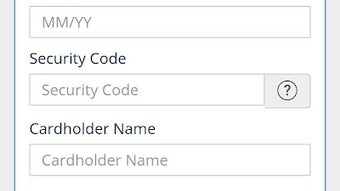
The user interface of allpay appears to be minimalistic and focused on core functionality. Navigation is likely structured around a central dashboard that displays recent payments, quick access buttons, and account information. The workflow begins with a four-digit login, followed by selection of the payment type and entry of the 19-digit reference number. Card details are then entered or selected from saved options, completing the transaction.
Based on general patterns in similar financial applications, the app is expected to load quickly and respond promptly to user input. However, exact performance details were not specified. The developer did not provide information on CPU or RAM usage, so resource efficiency cannot be confirmed. Stability is assumed to be adequate for routine use, given the app’s narrow scope and focus on secure payment processing. No performance issues were reported in the provided information.
Users can expect a smooth experience when making payments, particularly for those familiar with mobile banking or digital wallets. The app’s limited feature set may contribute to faster load times and reduced risk of crashes. The absence of complex integrations or multimedia elements suggests a lightweight design optimized for reliability over visual appeal. Overall, the workflow is designed to minimize friction and support rapid transaction completion.
Compatibility & System Requirements
allpay is available for Android devices and is compatible with the latest versions of the operating system. The app has a file size of 15.2 MB, indicating a lightweight installation that should not significantly impact device storage. It is designed for mobile devices with standard processing capabilities, though exact hardware requirements were not listed.
Compatibility information was partially provided, with the operating system clearly stated as Android. No details were given about minimum processor speed, RAM, or screen resolution. The developer did not specify whether the app supports older Android versions or tablets. Users should ensure their device meets general Android compatibility standards for running third-party applications. The app is not available for iOS or other platforms based on the current information.
Pros and Cons
Pros
- Free to download and use with no hidden costs
- Simple and intuitive interface designed for ease of use
- Secure payment processing with encrypted technology
- Quick payment feature for recurring bills
- Transaction history for payment tracking
- Supports 19-digit payment references from housing associations and government bodies
Cons
- Only available on Android, no iOS or desktop version
- Limited to UK-based services and organizations
- Exact system requirements were not listed
- Four-digit login may offer lower security compared to biometric or two-factor authentication
- No information on offline functionality or backup options
FAQ Section
Is allpay available for iOS devices?
As of now, allpay is only available for Android. There is no official version for iOS devices.
Is the app secure for making payments?
Yes, the app uses encrypted technology to protect user data during transactions. AllPay Ltd emphasizes secure payment processing.
Can I use allpay to pay bills outside the UK?
No, the app is specifically designed for UK-based services, including housing associations, local authorities, and government organizations.
How often are updates released?
The developer did not provide information on update frequency. Users are encouraged to keep the app updated via the Google Play Store.
Do I need an internet connection to use allpay?
Yes, allpay requires an active internet connection to process payments and access transaction history.
Final Thoughts
allpay offers a focused and reliable solution for UK residents seeking a simple way to manage their bill payments digitally. Its clean interface, secure processing, and support for quick, recurring payments make it a practical tool for everyday users. While the app is limited to Android and UK-specific services, it fulfills its purpose effectively within those boundaries. The absence of fees and the inclusion of transaction tracking add to its value. For individuals looking to avoid queues and streamline their financial tasks, allpay provides a straightforward alternative to traditional payment methods.
Download allpay now





.png)

